Humming Google Slide Template: Crafting Visual Harmony
There’s a particular kind of frustration that comes with opening a blank presentation file. The cursor blinks on an empty slide, and the pressure to create something professional, cohesive, and visually engaging from scratch can stall a project before it even begins. For entrepreneurs, marketers, and content creators, time is a resource just as valuable as design skill. This is where a thoughtfully constructed template system becomes less of a luxury and more of a strategic asset. The Humming Google Slide Template is designed to eliminate that initial friction, offering a comprehensive foundation built for clarity, brand consistency, and visual impact.
A System Built for Real-World Presentations
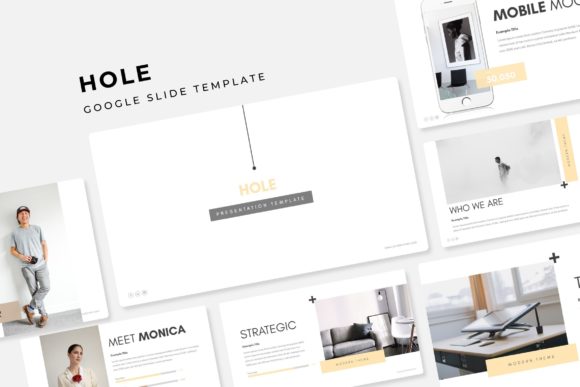
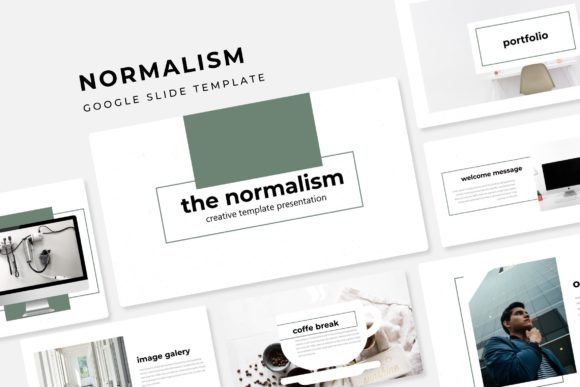
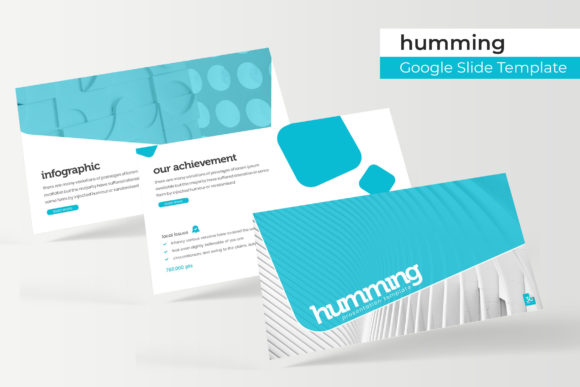
What sets this particular template collection apart is its structured approach to visual storytelling. It’s not a single design, but a family of coordinated themes. The package includes 150+ total slides, organized into five distinct premade color palettes. Each color theme contains 30 meticulously crafted slides, giving you the flexibility to choose a scheme that aligns with your brand identity or the specific mood of your presentation. This level of variety ensures your decks for client pitches, internal reports, or webinar visuals can each have a unique yet consistently professional feel.
The heart of the system lies in its handcrafted infographics and section break slides. Instead of relying on generic chart templates, the infographics are designed as visual narratives. They help transform complex data—like market growth, project timelines, or process workflows—into digestible, memorable graphics. The dedicated section break slides serve as visual chapter markers, guiding your audience through the presentation’s structure and preventing the monotony of slide-after-slide content blocks. This thoughtful pacing is crucial for maintaining engagement, whether you're presenting to a boardroom or a virtual audience.
Practical Features for a Fluid Workflow
Beyond aesthetics, the template’s utility is enhanced by its technical construction. Built on Master Slides, the entire system allows for swift, global changes. Adjust a font style, modify a color accent, or update a footer across all 150+ slides with a single edit. This is a game-changer for maintaining brand consistency, especially when collaborating with a team or preparing materials for a product launch where last-minute adjustments are common.
The graphics are fully resizable and editable, ensuring they can be tailored to any aspect ratio or layout need. Picture placeholders operate on a drag-and-drop principle, making the integration of your own photography or stock images intuitive and fast. You’re not wrestling with alignment tools; you’re simply placing your content where it belongs. The pixel-perfect illustrations guarantee that every line, shape, and icon renders crisply on any screen, from a laptop to a projected conference display. This attention to detail elevates the perceived quality of your entire presentation.
Beyond the Slide Deck: Cross-Platform Brand Applications
While designed for Google Slides and PowerPoint, the value of the Humming template’s design language extends far beyond a standalone presentation. The cohesive visual system—its color palettes, graphic style, and typographic hierarchy—provides a ready-made blueprint for broader brand identity work. Consider using the infographic styles as inspiration for your social media graphics. A well-designed process diagram on a slide can be adapted into an Instagram carousel or a LinkedIn article visual, reinforcing your brand’s visual voice across platforms.
The clean, modern aesthetic of the templates lends itself well to other marketing assets. The layout principles can inform the design of one-page PDFs, digital brochures, or even the visual structure of your website’s landing pages. For entrepreneurs creating digital products like e-books or workshop materials, the section breaks and content slides offer a professional framework for organizing information. The goal is visual consistency; when a potential customer sees your presentation, your Instagram feed, and your PDF guide, they should recognize the same deliberate, professional brand language.
Maximizing the Asset: What’s Included and How to Use It
The downloadable package is straightforward: 5 PPTX files (one for each color theme) in widescreen format, along with a Readme file for guidance. A critical note for implementation is the use of fonts. The template utilizes free fonts, and the download includes direct links to acquire them. This eliminates the common headache of discovering missing typefaces when you open the file, ensuring the design renders exactly as intended from the first moment.
It’s important to note that the preview photographs and pictures are for illustration purposes only and are not included. This is standard for template assets, pushing you to source imagery that is uniquely yours—your team, your products, your environment. This practice actually strengthens your brand authenticity. Use the placeholder structure as a guide to curate a library of your own high-quality visuals that tell your company’s specific story.
When integrating this asset, think strategically about font pairing. While the template provides a suggested typographic system, you may wish to align it with your existing brand fonts. Test pairings carefully: a bold, clean sans-serif for headlines from your brand guide might pair beautifully with the template’s body text styles. Always prioritize readability, especially for data-heavy slides or when presenting to audiences viewing on mobile devices. The template’s structure is designed to support clarity, so let that principle guide your customizations.
Ultimately, the Humming Google Slide Template is more than a collection of pretty slides. It’s a framework for professional communication. It saves hours of design time, enforces visual discipline, and provides the polished aesthetic needed to build credibility with clients, investors, and your audience. In a digital landscape where visual noise is constant, a clear, cohesive, and well-structured presentation can be the quiet advantage that makes your message resonate.