Shortcake: A Fresh, Versatile Template for Modern Presentations
Creating a presentation that truly captures attention while remaining professional can be a significant time investment. The search for a design that is both visually appealing and functionally robust often leads to generic, overused templates. This is where the Shortcake Google Slide Template enters the conversation, offering a distinct aesthetic combined with a level of practicality that designers and business owners will appreciate. It moves beyond simple slide layouts, providing a comprehensive toolkit for building a cohesive visual story.
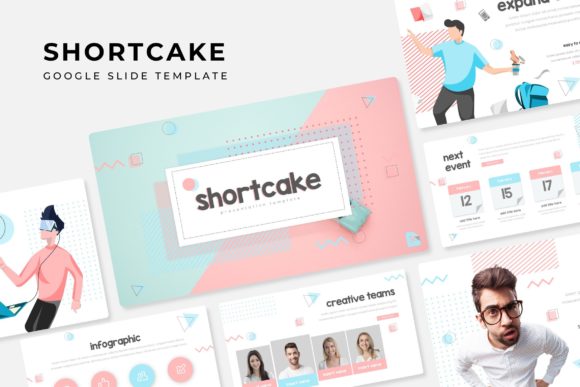
At its core, Shortcake is built on the principle of flexibility without sacrificing style. The collection features 150+ total slides, thoughtfully organized into five premade color schemes. Each of the five color variations provides 30 unique slides, ensuring you have a dedicated palette for different projects or brand identities. This structure is invaluable for maintaining visual consistency across multiple presentations, whether for internal team meetings, client pitches, or conference talks. The color schemes are carefully curated to feel contemporary and adaptable, moving away from harsh primaries into more nuanced, harmonious tones that work well for a variety of topics.
Beyond Slides: A Toolkit for Visual Communication
What sets this template apart is its integration of handcrafted infographics and dedicated section break slides. Infographics are no longer a nice-to-have; they are essential for distilling complex data into digestible, engaging visuals. The ones included are designed to be easily editable, allowing you to tailor charts, timelines, and process flows to your specific narrative. The section breaks provide a clean, professional way to transition between major parts of your presentation, helping to pace the story and keep your audience oriented.
For those who need to showcase work, the Gallery and Portfolio slides are a standout feature. These layouts are crafted to make visual content the hero, with careful attention to spacing, alignment, and typography. Whether you're a designer displaying recent projects, a photographer sharing a collection, or a business highlighting case studies, these slides provide a polished framework. The picture placeholder system is particularly user-friendly; it’s drag & drop based and fully resizable and editable, so you can adjust the focus and framing of your images without wrestling with complicated masking tools.
Practical Design for Real-World Projects
The value of a template like Shortcake extends far into practical, everyday applications. For small business owners and entrepreneurs, it can serve as the foundation for a brand identity presentation, a sales deck, or a product launch plan. The consistent use of the template’s color themes and typography can significantly strengthen brand recognition during pitches and internal communications. Content creators and marketers will find it ideal for crafting social media graphics that need to be repurposed from a slide deck into other formats, as the clean design translates well to static images or video thumbnails.
The template is also a powerful tool for packaging design mockups or editorial layouts. Imagine presenting a new product line: you can use the gallery slides to display packaging concepts, the infographics to explain the production process, and the section breaks to move seamlessly into market analysis. The pixel-perfect illustrations and master slide system ensure that every element is aligned and styled correctly, giving your work a professional presentation that builds credibility. This attention to detail is what helps improve audience engagement; a clean, well-structured presentation is easier to follow and appears more trustworthy.
Getting Started and Making It Your Own
Understanding what’s included is straightforward. You receive 5 PPTX files for each of the color themes, with versions for both standard and widescreen formats. A helpful Readme First document guides you through setup. It’s important to note that the font used is a free download, with a link provided in the documentation. This is a crucial detail for maintaining the intended look of the template, as typography is a core component of its design personality. While the template uses a cohesive font family, exploring font pairing with complementary sans serif or serif fonts can add another layer of uniqueness to your final output.
When adapting the template, start by selecting the color scheme that best aligns with your project’s mood. Then, use the master slides to set your global fonts and colors. This ensures that as you add new slides, the design remains consistent. Don’t feel constrained to use every slide; the strength of having 150+ slides is in the choice it provides. You might use a combination of infographic slides for a data-heavy report, or focus on the portfolio layouts for a creative agency review. The key is to use the template as a starting point, not a rigid cage. Its modern typography and clean lines are designed to support your content, not overpower it.
For those concerned about commercial use, the template is built with professional applications in mind. It’s an excellent asset for creating marketing assets, digital products, or print materials like posters and invitations. The editable graphics mean you can customize elements for client work or internal projects without issue. However, as noted, the preview photographs are for illustration only; you will need to source your own images. This is standard practice and allows you to use your own high-quality visuals or licensed stock photos, ensuring your final presentation is uniquely yours and legally sound.