Hopers Keynote Template: A Deep Dive into Its 150+ Slides
You have a brilliant idea. Maybe it's a startup pitch, a quarterly business review, or a portfolio showcase for a new creative service. The content is solid, the strategy is sharp, but when you open your presentation software, you're met with a blank, intimidating slide deck. The default templates feel stale, and building a visually stunning presentation from scratch is a time-consuming challenge most of us simply can't afford. This is where a resource like the Hopers Keynote Template steps in, not as a magic wand, but as a powerful starting point to translate your ideas into a polished, professional visual story.
Beyond Slides: A Visual System for Your Brand
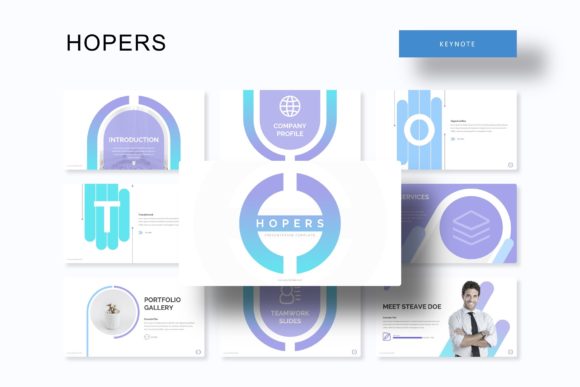
What immediately sets the Hopers Keynote Template apart is its identity as a cohesive visual system rather than a random collection of slides. With over 150 total slides spread across five premade color variations, it provides a structured yet flexible foundation. Each color theme offers 30 meticulously designed slides, ensuring you have a consistent aesthetic from the opening title to the final call-to-action. This approach is a game-changer for maintaining brand consistency. Instead of mixing and matching disparate elements, you’re working within a unified design language that reinforces your brand identity with every click. The inclusion of handcrafted infographics is particularly valuable. Data visualization is often the weakest link in a presentation, but here, you get editable charts, graphs, and diagrams that are both beautiful and clear, helping you communicate complex information without sacrificing style.
Practicality Meets Polish: Drag, Drop, and Deliver
The true test of any design asset is its usability. The Hopers template is built on a foundation of practical features that respect your time. The "Picture Placeholder" functionality is a standout. Rather than wrestling with cropping and resizing, you simply drag and drop your images into designated areas, and they automatically conform to the slide’s layout. This is a lifesaver for busy entrepreneurs and marketers who need to swap out product shots or team photos quickly. Furthermore, the entire template is based on master slides. This means making a global change—like updating a font or adjusting a color accent—is a one-click operation that ripples through the entire deck, saving you hours of tedious manual editing. The pixel-perfect illustrations and section break slides add a layer of professional polish that elevates the entire presentation, making it feel custom-designed for your specific project.
From Pitch Decks to Social Media: Unlocking Versatility
While designed for Keynote, the core design assets within the Hopers package have applications far beyond a standard presentation. Consider the infographic elements. These handcrafted vectors can be exported and repurposed as standalone graphics for your blog, social media posts, or even printed marketing materials. The portfolio and gallery slides offer a clean, grid-based layout perfect for showcasing work on a website or in a digital lookbook. For a small business owner, this versatility is pure gold. A single investment can yield a polished investor deck, a series of engaging Instagram graphics, and a professional visual aid for client meetings. The template essentially provides a toolkit of cohesive design assets—icons, layouts, color palettes—that you can adapt across your entire brand ecosystem, ensuring visual harmony from your slide presentation to your website header.
Choosing Your Color Story: More Than Just Aesthetics
The five premade color variations included are not arbitrary; they are curated palettes designed to evoke different moods and suit various industries. This is where your strategic thinking comes into play. A deep navy and gold theme conveys authority and trust, ideal for a financial services or consulting firm. A vibrant, high-contrast palette might be perfect for a tech startup or a creative agency targeting a younger demographic. The key is to choose the color story that best aligns with your brand personality and the specific message of your presentation. Don't just pick your favorite color; consider the psychological impact and the context in which your audience will view it. This thoughtful selection process transforms the template from a generic tool into a tailored extension of your brand identity.
Maximizing Your Investment: Tips for Effective Use
To get the most out of a resource like this, a little preparation goes a long way. Start by mapping out your content narrative before you even open the file. Know your key points and how many slides you'll roughly need for each section. This allows you to select and customize slides strategically. When you insert your own images, ensure they are high-resolution to maintain the template's crisp, professional look. Play with the editable graphics; recolor them to match your brand's exact hex codes if the premade options are close but not perfect. Finally, always run through your presentation in presenter mode to check for flow and readability. The template's clean typography and ample white space are designed for clarity, but your content density still matters. By approaching it as a collaborative tool rather than a finished product, you harness its full potential to create a presentation that is both uniquely yours and impressively professional.