Carfa Keynote Template: Streamlining Professional Presentations
Every professional knows the feeling: a critical presentation is due, and the last thing you want is to waste hours fiddling with slide layouts, color palettes, and alignment. The content is ready, but the delivery needs polish. This is where a thoughtfully designed system becomes invaluable. The Carfa Keynote Template isn't just a collection of slides; it's a structured framework designed to transform your raw ideas into visually compelling narratives with remarkable efficiency. It addresses the universal need for presentations that look expertly crafted without requiring a design degree or an endless time investment.
A Foundation Built for Visual Impact and Clarity
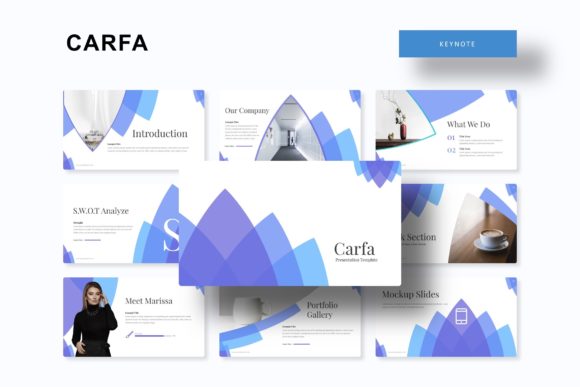
At its core, the Carfa system is built on the principle of visual consistency. It offers over 150 total slides, strategically divided into five distinct premade color themes. Each theme provides 30 meticulously designed slides, ensuring you have a cohesive starting point for any brand or project. This structure immediately solves a common problem: maintaining a unified look and feel throughout your entire presentation. Instead of mixing and matching elements from different sources, you begin with a harmonious palette and layout family, which is crucial for building brand recognition and professional credibility.
The visual appeal stems from its clean, modern aesthetic. It avoids overly trendy elements that might date quickly, opting instead for timeless design principles. The layouts prioritize content hierarchy, making it easy for your audience to follow your message. Whether you're presenting a business plan, a creative portfolio, or a marketing strategy, the template's design supports your story rather than distracting from it. The inclusion of handcrafted infographics is a standout feature, allowing you to present data and complex processes in an engaging, easy-to-digest format that feels custom-made.
Practical Applications Across the Professional Spectrum
The versatility of this presentation toolkit makes it relevant for a wide range of users. For entrepreneurs and small business owners, it’s a direct path to creating investor decks, company overviews, and sales pitches that convey stability and vision. The section break slides are perfect for clearly delineating chapters in your talk, while the gallery and portfolio slides offer dedicated spaces to showcase work, case studies, or product features with elegance.
Marketers and content creators will find immense value in its adaptability. Use it to structure social media strategy presentations, campaign post-mortems, or content calendars. The clean layouts work beautifully for displaying website mockups, blog post outlines, or digital product showcases. Because every graphic is resizable and editable, and every picture placeholder is drag-and-drop ready, you can seamlessly integrate your own brand assets, screenshots, and imagery. This flexibility means the template serves as a dynamic canvas for your specific projects, from packaging design proposals to editorial layout planning.
Enhancing Your Workflow and Final Output
Beyond aesthetics, the Carfa template is engineered for a smooth user experience. Being based on Master Slides means global changes—like adjusting a font or shifting a color accent—can be made in one place and will automatically update across all relevant slides. This pixel-perfect foundation saves countless hours that would otherwise be spent on manual adjustments. The promise of "pixel-perfect illustrations" ensures that every element, from icons to charts, renders sharply on any screen, reflecting a high standard of quality.
The package is designed for immediate productivity. It includes five PPTX files for standard and widescreen formats, a helpful readme file, and details on the free fonts used. This thoughtful bundling means you can download, install the fonts, and start building your presentation within minutes. A key piece of practical advice: always test your final presentation in the actual environment where it will be delivered, whether that's a conference room projector or a video call screen, to ensure colors and readability are optimal.
Making It Your Own: Tips for Effective Customization
While the template provides a robust starting point, personalization is key. Begin by selecting the color theme that best aligns with your brand identity or the mood of your presentation. Then, consider typography pairing. While the included fonts are chosen for their compatibility, you might have a brand-specific font. Test any new font pairing on a few sample slides first to ensure it maintains the template's clean readability. The goal is to enhance, not complicate, the visual flow.
Use the editable graphics strategically. Instead of overloading slides, let the pre-designed infographic elements highlight your most critical data points. Leverage the picture placeholders to create a strong visual narrative, but ensure your images are high-quality and relevant. Remember, the template's strength is in its structure and visual grammar; your content provides the voice. By working within its framework rather than against it, you can produce presentations that are not only beautiful but also clear, persuasive, and genuinely professional.