Mastering Visual Strategy: The Havana Keynote Template
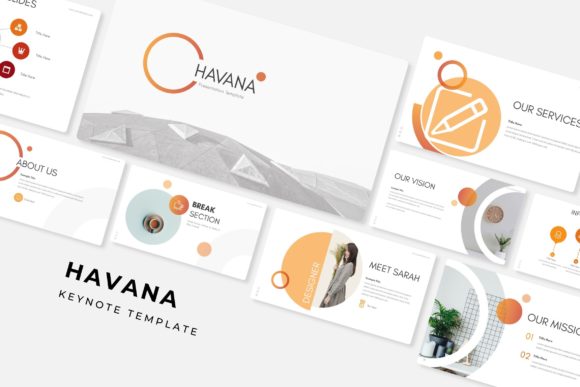
You have a brilliant idea, a product launch, or a quarterly report that needs to impress, but staring at a blank slide deck is often the fastest way to kill creativity. We have all been there—wrestling with misaligned text boxes, trying to find a color palette that doesn't clash, and spending hours on "design" that ends up looking amateur. This is where the workflow changes. The Havana Keynote Template is not just a collection of slides; it is a comprehensive design system built for professionals who need to communicate complex ideas with clarity and style. With over 150 total slides spread across five premade color themes, it offers a robust framework that eliminates the guesswork from presentation design.
What makes this specific asset stand out in a crowded market of design templates is its commitment to versatility without sacrificing aesthetic quality. The package includes five distinct PPTX files, each corresponding to a unique color variation, with 30 meticulously crafted slides per template. This structure allows you to adapt the visual tone of your presentation to match specific brand guidelines or the mood of your content instantly. Whether you are a startup founder pitching to investors, a creative agency showcasing a portfolio, or a marketer outlining a new strategy, the visual language of Havana is designed to support your narrative rather than distract from it.
A Deep Dive into the Visual Framework
The core strength of this template lies in its "pixel-perfect illustrations" and master slide architecture. For anyone who has struggled with formatting inconsistencies, the master slide functionality is a game-changer. It ensures that every header, footer, and background element remains uniform across the entire deck. This is crucial for maintaining visual consistency, which is a cornerstone of professional brand identity. When your audience sees a cohesive design, they subconsciously trust the content more. The Havana template leverages this psychology by providing a clean, modern typography hierarchy that pairs well with high-resolution imagery.
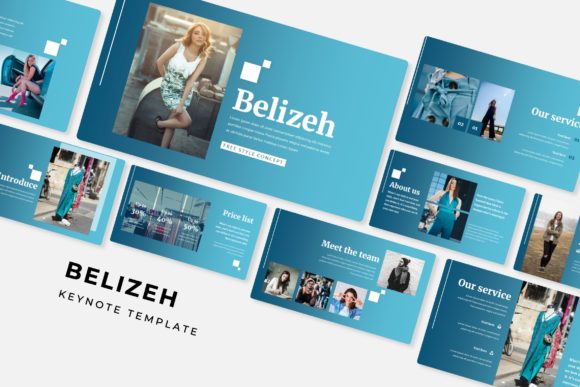
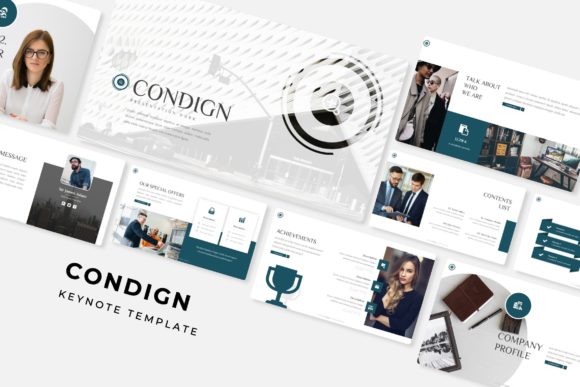
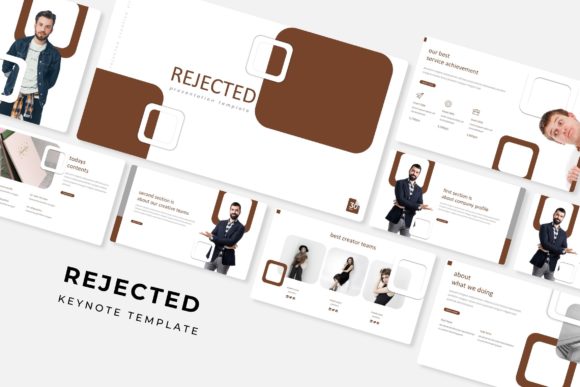
One of the most practical features included is the drag-and-drop picture placeholder. In the past, inserting an image into a presentation meant cropping, resizing, and often distorting the photo to fit a specific shape. With the Havana framework, you simply drag your photograph into the pre-defined placeholder, and the template handles the cropping and positioning automatically. This feature alone can save hours of production time, allowing you to focus on the actual narrative of your pitch. It is particularly useful for visual-heavy industries like interior design, photography, or fashion, where the quality of the image display is just as important as the text accompanying it.
Infographics and Data Visualization
Data can be dry, but it doesn't have to be boring. A significant portion of the Havana Keynote Template is dedicated to handcrafted infographics. In the world of business and marketing, the ability to translate complex datasets into digestible, visual stories is a superpower. These are not generic bar charts; they are designed elements that help illustrate growth, timelines, processes, and workflows.
For small business owners, these infographics are invaluable. Imagine you are explaining your supply chain process or your customer journey map. Instead of bullet points, you can use a visual flow that guides the viewer's eye from point A to point B. This improves readability and ensures that your key metrics actually land with the audience. The inclusion of section break slides also helps in organizing long-form content, giving your audience a mental "reset" before diving into the next topic. This pacing is essential for keeping engagement high during longer meetings or webinars.
Practical Applications Beyond the Boardroom
While the primary function of the Havana Keynote Template is clearly for slide presentations, the assets included offer value for broader design projects. Because the graphics are resizable and editable, you can extract elements for use in other marketing materials. This is a common workflow for content creators and social media managers. You might take a specific infographic style from the presentation and adapt it for an Instagram carousel or a LinkedIn post. This ensures that your visual language is consistent across your digital presence, reinforcing brand recognition without needing to hire a graphic designer for every single asset.
Furthermore, the widescreen format (16:9) is optimized for modern displays, but the scalability of the vector graphics means they look sharp even on large projection screens. The package comes with a "Readme First" file and links to the free fonts used in the design. This is a detail that often gets overlooked, but it is critical for licensing and consistency. By using free fonts, the template ensures you won't run into expensive licensing issues later, which is a common pitfall when using premium typefaces found in other design assets.
Optimizing Your Workflow with the Havana Template
For the entrepreneur or freelancer, time is the most expensive currency. The efficiency gained by using a structured template like Havana cannot be overstated. Instead of debating whether a title should be 24pt or 28pt, or if the background should be slightly more grey, you can rely on the pre-set design decisions. This allows you to move rapidly from concept to completion.
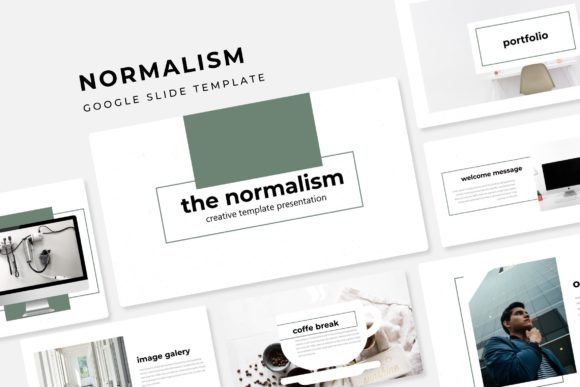
Consider the scenario of a portfolio review. The Gallery and Portfolio slides included in the set are designed to showcase work in a grid or single-image format that maximizes visual impact. For a photographer or a graphic designer, these layouts are ready to go. You simply upload your best work and let the white space of the template do the heavy lifting. It provides the "breathing room" necessary for high-end creative presentation, ensuring that your work looks premium.
Ultimately, the Havana Keynote Template serves as a bridge between a raw idea and a polished professional product. It respects the user's need for customization while providing a strong, stylish foundation. Whether you are building a brand identity from scratch or refreshing an existing corporate presentation, the combination of 150+ slides, handcrafted infographics, and a user-friendly master slide system makes it a formidable tool in any creative's arsenal. It transforms the tedious task of presentation design into a streamlined, and even enjoyable, part of the creative process.