Master Your Next Pitch: The Puffer Keynote Template Explained
Staring at a blank slide deck is a specific kind of creative paralysis. You have the data, the strategy, and the vision, but translating that into a visually compelling story that holds an audience's attention for thirty minutes is a challenge. The Puffer Keynote Template emerges as a solution designed not just to decorate slides, but to structure your narrative. With over 150 total slides organized across five distinct color palettes, this resource offers a robust foundation for anyone from startup founders to seasoned marketing professionals who need to communicate complex ideas with clarity and style.
What immediately stands out about this collection is its approach to visual variety within a cohesive system. The package includes 30 unique slide designs for each of the five premade color variations. This structure means you are not simply recoloring the same template; each palette feels intentionally curated to evoke a different mood or suit a particular brand personality. Whether your brand identity leans towards the cool and corporate or the vibrant and creative, there is a starting point that reduces the initial design friction. This variety is crucial for maintaining audience engagement, as it allows for visual progression throughout your presentation without sacrificing consistency.
Beyond Basic Slides: Handcrafted Infographics and Visual Storytelling
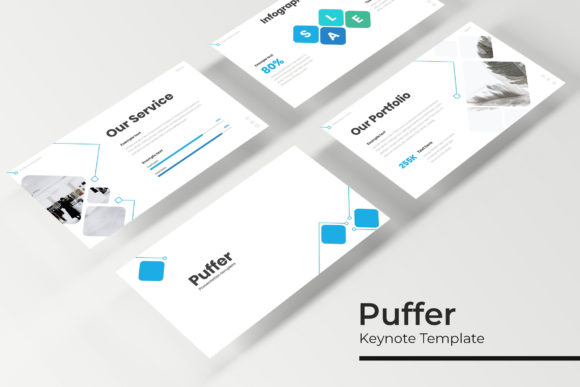
The true value of a professional template often lies in its ability to visualize data. The Puffer template includes handcrafted infographics that go beyond standard pie charts and bar graphs. These are designed to make statistics digestible and processes understandable at a glance. For a small business owner presenting quarterly results to investors, or a marketer outlining a campaign strategy, these infographics serve as visual anchors. They guide the viewer's eye and provide context, which is essential when you need to communicate dense information quickly. The inclusion of section break slides further aids in pacing, allowing you to pause between major points and reset the audience's focus.
Functionality is equally prioritized. The template is built on master slides, which is a critical feature for anyone who values efficiency. This structure ensures that global changes—like adjusting a font style or shifting a color accent—can be applied consistently across the entire deck. The graphics are fully resizable and editable, meaning you are not locked into the original layout. The drag-and-drop picture placeholders are particularly useful for content creators and bloggers who may be updating decks frequently for webinars or client workshops. You can swap in your own photography or product shots without needing advanced technical skills, ensuring the final product feels authentically yours rather than like a stock template.
Practical Applications: From Investor Pitches to Workshop Materials
Consider the versatility this offers across different professional scenarios. For an entrepreneur, the clean, modern typography and structured layouts are ideal for a pitch deck. The pixel-perfect illustrations help establish credibility before you even speak. For a creative agency, the gallery and portfolio slides provide a polished way to showcase previous work, turning a simple presentation into a compelling case study. Even educators and hobbyists can find value here; a well-structured template can transform a lecture or a community group proposal into a more engaging experience. The widescreen format is optimized for modern displays and projectors, ensuring your content looks sharp whether it is projected in a boardroom or viewed on a laptop.
When integrating such a template into your workflow, think of it as a design asset that supports your brand identity rather than dictates it. The included fonts are free to download, which removes a common barrier to entry and ensures you can maintain the intended aesthetic immediately. However, the true magic happens when you adapt it. Perhaps you use the provided color variations as a jumping-off point to match your specific brand hex codes. Or maybe you use the infographic structures but swap the icons to better represent your industry. The goal is to use the template's professional foundation to elevate your own content, ensuring visual consistency that builds brand recognition over time.
Ultimately, a tool like the Puffer Keynote Template is about reducing the time spent on formatting and increasing the time spent on refining your message. It provides a professional polish that can be difficult to achieve from scratch, especially under tight deadlines. By handling the heavy lifting of layout and design structure, it allows you to focus on what truly matters: the story you are telling and the connection you are building with your audience. In a world where attention is the scarcest resource, starting with a strong visual framework is not just a convenience—it is a strategic advantage.