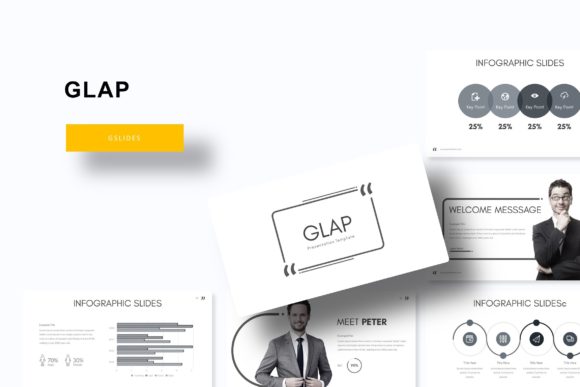
Effortless Presentations: Mastering the Glap Template
You know the feeling. You’ve got a brilliant idea, a business update, or a creative portfolio to share, but the mere thought of designing a presentation from scratch makes you want to close your laptop. The default templates feel overused, and wrestling with alignment and color schemes eats up hours you simply don’t have. This is where a tool like the Glap Google Slide Template changes the game. It’s not just a set of pre-made slides; it’s a comprehensive design system built for professionals who value both aesthetics and efficiency.
A Foundation of Visual Flexibility
What immediately sets the Glap template apart is its structured yet flexible approach to design. With 150+ total slides, you’re not just getting a single look—you’re getting a versatile toolkit. The system is built around 5 premade color schemes, each containing 30 unique slides. This thoughtful organization means you can switch the entire mood of your presentation with a single click, ensuring your visuals always align with your brand’s current campaign or your client’s specific guidelines. Whether you need a sleek, corporate feel or a vibrant, creative burst, the foundation is already there, waiting for your content.
The design philosophy centers on clarity and impact. Every slide is crafted with pixel-perfect illustrations and clean layouts that guide your audience’s eye exactly where you want it. You won’t find cluttered boxes or awkward text placement here. Instead, the template uses strategic white space and balanced compositions to make your message the star. The inclusion of handcrafted infographics is a standout feature, allowing you to transform complex data into engaging, easy-to-understand visuals without needing a degree in graphic design.
Practical Applications for Real-World Projects
This template’s utility extends far beyond a standard business meeting. Think of it as a multi-purpose asset for your brand’s visual communication. Are you a small business owner pitching to investors? Use the portfolio and gallery slides to showcase your work with stunning clarity. A marketing professional can leverage the section break slides to structure a quarterly report, making dense information digestible and visually engaging. For content creators and bloggers, it’s a perfect tool for creating branded webinar materials, online course content, or even visually rich media kits that impress potential sponsors.
The true power lies in its adaptability for branding and marketing assets. Consistency is key to brand recognition, and Glap makes it simple. You can easily apply your brand’s exact colors and typography across all slides, creating a cohesive look that reinforces your identity. The resizable and editable graphics and picture placeholders are particularly useful. Simply drag & drop your images into the designated areas, and they automatically conform to the design, saving you from tedious cropping and resizing. This feature is invaluable for creating consistent social media graphics, presentation decks, or print materials like posters and flyers.
Designed for Ease and Professional Polish
One of the biggest hurdles in presentation design is achieving a professional look without advanced software skills. The Glap template eliminates this barrier by being based on Master Slides. This means the core layout, fonts, and color schemes are controlled from a central place. If you need to update a font or adjust a color tone, you do it once in the master, and the change cascades throughout the entire presentation. This ensures visual consistency and saves an enormous amount of time, especially for longer presentations or when collaborating with a team.
The package is also incredibly user-friendly in terms of setup. It includes 5 PPTX files in widescreen format, along with a clear Readme First file to guide you. The fonts used are free to download, and links are provided, so you won’t encounter missing font errors. While the preview images are for illustration and not included, this is standard practice, allowing you to personalize the template fully with your own photography or licensed stock images. It’s a complete, ready-to-use kit designed to get you from blank slide to polished presentation in record time.
Integrating Glap into Your Design Workflow
For designers and creative entrepreneurs, the Glap template can serve as a starting point for larger projects. Its clean, modern aesthetic works well as a foundation for editorial layouts, digital product mockups, or even initial concepts for packaging design. The structured grid system and consistent styling can inspire the visual language for an entire brand identity. When considering font pairing, the template’s typography is chosen for readability and modern appeal, making it easy to match with other sans serif or serif fonts in your broader design system.
Before committing to any template for a commercial project, it’s wise to test its limits. Duplicate a slide and try replacing the placeholder text with your own lengthy copy. Swap out the images to see how the layout holds. Check if the infographic elements can be easily edited to reflect your specific data points. This hands-on testing ensures the template not only looks good but also functions perfectly for your unique needs, saving you from frustrating surprises down the line. Always review the included documentation and licensing to ensure it aligns with your project’s requirements, whether for personal use or client work.